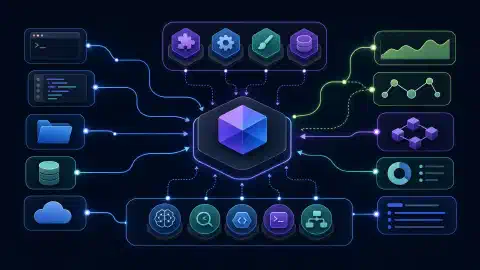

ਖੋਜ, ਡਿਜ਼ਾਈਨ ਅਤੇ ਵਿਕਾਸ ਲਈ 9 AI Agent Skill ਪ੍ਰੋਜੈਕਟ

Table of Contents
ਦੁਹਰਾਏ ਜਾਣ ਵਾਲੇ ਕੰਮ ਨੂੰ ਸੁਧਾਰਨ ਲਈ agent skill ਇੰਸਟਾਲ ਕਰੋ। ਮੌਜੂਦਾ ਚਰਚਾਵਾਂ ਦੀ ਖੋਜ, ਇੰਟਰਫੇਸ ਡਿਜ਼ਾਈਨ ਦੀ ਸਮੀਖਿਆ ਅਤੇ ਵੀਡੀਓ ਰੈਂਡਰ ਕਰਨ ਲਈ ਵੱਖਰੀਆਂ ਪ੍ਰਕਿਰਿਆਵਾਂ ਅਤੇ ਨਿਰਭਰਤਾਵਾਂ ਲੋੜੀਂਦੀਆਂ ਹਨ। ਇੱਕ ਉਪਯੋਗੀ skill ਇਨ੍ਹਾਂ ਵਿੱਚੋਂ ਕਿਸੇ ਇੱਕ ਕੰਮ ਲਈ ਗੁੰਮ ਹਦਾਇਤਾਂ, ਸੰਦਰਭ ਸਮੱਗਰੀ ਜਾਂ ਸਕ੍ਰਿਪਟਾਂ ਦਿੰਦੀ ਹੈ।
ਨੌਂ ਪ੍ਰੋਜੈਕਟਾਂ ਤੇ ਵਿਚਾਰ ਕਰੋ: last30days, Humanizer, Impeccable, Superpowers, gstack, Claude Video, Remotion, HyperFrames ਅਤੇ NVIDIA SkillSpector। ਕੁਝ ਹਦਾਇਤੀ ਬੰਡਲ ਹਨ, ਕੁਝ executable tools ਰੱਖਦੇ ਹਨ ਅਤੇ ਕੁਝ companion skills ਵਾਲੇ frameworks ਹਨ। ਇਹ ਗਾਈਡ ਉਨ੍ਹਾਂ ਦੀ ਦਸਤਾਵੇਜ਼ੀ ਭੂਮਿਕਾ ਦੀ ਤੁਲਨਾ ਕਰਦੀ ਹੈ ਅਤੇ skill ਚੁਣਨ, ਇੰਸਟਾਲ ਕਰਨ ਅਤੇ ਮੁਲਾਂਕਣ ਲਈ ਵਰਤੋਂਯੋਗ ਤਰੀਕਾ ਦਿੰਦੀ ਹੈ।
ਦਸਤਾਵੇਜ਼ੀ ਸਨੈਪਸ਼ਾਟ: 10 ਅਕਤੂਬਰ 2026। ਸਿਫ਼ਾਰਸ਼ਾਂ ਪ੍ਰੋਜੈਕਟ ਦਸਤਾਵੇਜ਼ਾਂ ਅਤੇ source inspection ਉੱਤੇ ਆਧਾਰਿਤ ਹਨ, output quality ਦੇ comparative benchmark ਉੱਤੇ ਨਹੀਂ। ਮੁਫ਼ਤ ਇੰਸਟਾਲੇਸ਼ਨ ਨਾਲ inference, rendering, data access ਜਾਂ commercial use ਮੁਫ਼ਤ ਸਾਬਤ ਨਹੀਂ ਹੁੰਦਾ।
ਮੁੱਖ ਨਤੀਜੇ
- ਦੁਹਰਾਏ ਜਾਣ ਵਾਲੇ ਕੰਮ ਨਾਲ ਸ਼ੁਰੂ ਕਰੋ: ਸਪਸ਼ਟ output ਅਤੇ acceptance check ਵਾਲੀ skill ਚੁਣੋ।
- Skills ਨੂੰ runtimes ਤੋਂ ਵੱਖ ਰੱਖੋ: ਹਦਾਇਤਾਂ ਇੰਸਟਾਲ ਕਰਨ ਨਾਲ ਹਰ ਲੋੜੀਂਦਾ executable ਇੰਸਟਾਲ ਨਹੀਂ ਹੁੰਦਾ।
- ਹੋਸਟ ਜਾਂਚੋ: ਚੱਲਦਾ Claude Code integration ਇਕੋ ਜਿਹਾ Codex ਜਾਂ Cowork behavior ਸਾਬਤ ਨਹੀਂ ਕਰਦਾ।
- Permissions ਅਤੇ dependencies ਦੀ ਜਾਂਚ ਕਰੋ: package commands, hooks, external services ਅਤੇ credentials ਲਈ ਵੱਖਰੀ ਜਾਂਚ ਲੋੜੀਂਦੀ ਹੈ।
- ਟੈਸਟ ਤੋਂ ਬਾਅਦ customize ਕਰੋ: project policy ਨੂੰ ਅਧਿਕਾਰਤ ਰੱਖੋ ਅਤੇ upstream versions ਦਾ record ਸੰਭਾਲੋ।
Deliverable ਦੇ ਆਧਾਰ ਤੇ ਚੋਣ
| ਲੋੜੀਂਦਾ output | ਮੁਲਾਂਕਣ ਲਈ project | ਪਹਿਲੀ ਜਾਂਚ |
|---|---|---|
| ਮੌਜੂਦਾ ਚਰਚਾ brief | last30days | ਕਿਹੜੇ sources ਨੇ ਵਰਤੋਂਯੋਗ evidence ਦਿੱਤਾ? |
| ਸੰਪਾਦਿਤ prose | Humanizer | ਕੀ meaning ਅਤੇ attribution ਬਚੇ? |
| ਸੁਧਰਿਆ interface | Impeccable | ਕੀ ਬਦਲਿਆ interaction ਕੰਮ ਕਰਦਾ ਹੈ? |
| ਯੋਜਨਾਬੱਧ ਅਤੇ ਟੈਸਟ ਕੀਤਾ change | Superpowers | ਕੀ process task complexity ਨਾਲ ਮੇਲ ਖਾਂਦਾ ਹੈ? |
| Review ਅਤੇ QA workflow | gstack | ਤੁਹਾਡੇ agent host ਉੱਤੇ ਕਿਹੜੇ features ਕੰਮ ਕਰਦੇ ਹਨ? |
| Video observations | Claude Video / Watch | ਕੀ claims frames ਜਾਂ audio ਨਾਲ supported ਹਨ? |
| React video composition | Remotion skills | ਕੀ exported video preview ਨਾਲ ਮੇਲ ਖਾਂਦੀ ਹੈ? |
| HTML video composition | HyperFrames skills | ਕੀ seeking ਵੇਲੇ animation deterministic ਰਹਿੰਦੀ ਹੈ? |
| Skill inspection report | SkillSpector | ਕੀ analysis ਪੂਰੀ ਹੋਈ ਅਤੇ ਕੀ flag ਕੀਤਾ ਗਿਆ? |
Skill agent harness ਤੋਂ ਵੱਖ ਹੁੰਦੀ ਹੈ। Skill task-specific guidance ਅਤੇ ਕਈ ਵਾਰ scripts ਦਿੰਦੀ ਹੈ। Harness ਨਿਰਧਾਰਤ ਕਰਦਾ ਹੈ ਕਿ agent instructions ਕਿਵੇਂ load ਕਰਦਾ ਹੈ, tools ਕਿਵੇਂ call ਕਰਦਾ ਹੈ ਅਤੇ permissions ਕਿਵੇਂ ਲਾਗੂ ਕਰਦਾ ਹੈ। ਸਾਡੀ agent-harness comparison ਇਨ੍ਹਾਂ surrounding systems ਨੂੰ cover ਕਰਦੀ ਹੈ।
Skill folder plugin installation ਵੀ ਨਹੀਂ ਹੁੰਦਾ। Plugins hooks ਜਾਂ additional tools register ਕਰਦੇ ਹਨ, ਜੋ manual folder copy ਵਿੱਚ ਨਹੀਂ ਆਉਂਦੇ। Equivalent behavior ਮੰਨਣ ਤੋਂ ਪਹਿਲਾਂ ਆਪਣੇ host ਅਤੇ installation mode ਦੀਆਂ ਹਦਾਇਤਾਂ ਪੜ੍ਹੋ।
Research ਅਤੇ Writing
last30days
ਹਾਲੀਆ ਚਰਚਾ research ਲਈ last30days ਵਰਤੋ। Project Reddit, Hacker News, YouTube, X ਅਤੇ web ਵਰਗੇ sources ਨੂੰ ਜੋੜਦਾ ਹੈ। Available coverage ਚੁਣੇ sources, installed tools, authentication ਅਤੇ provider access ਉੱਤੇ ਨਿਰਭਰ ਕਰਦੀ ਹੈ। ਇਸ ਦਾ preflight mode planned access ਦੱਸਦਾ ਹੈ ਅਤੇ research ਸ਼ੁਰੂ ਕੀਤੇ ਬਿਨਾਂ writes ਕਰਦਾ ਹੈ।
Evidence trail ਮੰਗੋ। ਉਪਯੋਗੀ ਨਤੀਜੇ ਵਿੱਚ dates, links, recurring complaints ਅਤੇ disagreements ਸ਼ਾਮਲ ਹੁੰਦੇ ਹਨ। Unavailable source ਨੂੰ coverage gap ਵਜੋਂ ਦਿਖਣਾ ਚਾਹੀਦਾ ਹੈ। Engagement counts collected posts ਵਿੱਚ activity ਦੱਸਦੇ ਹਨ, ਹਰ user ਦਾ representative survey ਨਹੀਂ।
Illustrative task: ਹਾਲ ਹੀ ਵਿੱਚ ਜਾਰੀ ਹੋਈ library ਲਈ recurring installation failures ਦੀ ਜਾਂਚ ਕਰੋ। Reports ਨੂੰ version ਅਤੇ operating system ਅਨੁਸਾਰ group ਕਰੋ। ਫਿਰ proposed fixes ਨੂੰ library ਦੇ issue tracker ਜਾਂ documentation ਨਾਲ verify ਕਰੋ। Popular workaround ਨੂੰ upstream-supported solution ਨਾ ਮੰਨੋ।
Humanizer
Humanizer ਨੂੰ editing pass ਵਜੋਂ ਵਰਤੋ। Skill repetitive contrasts, staged introductions, inflated claims ਅਤੇ ਹੋਰ writing habits ਨੂੰ target ਕਰਦੀ ਹੈ। ਇਹ voice samples ਲੈਂਦੀ ਹੈ ਅਤੇ underlying meaning ਬਚਾਉਣ ਦਾ ਉਦੇਸ਼ ਰੱਖਦੀ ਹੈ।
Draft ਨਾਲ constraints ਦਿਓ। Audience, ਬਚੇ ਰਹਿਣ ਵਾਲੇ facts ਅਤੇ ਨਾਲ ਰਹਿਣ ਵਾਲੇ citations ਦੱਸੋ। Editing ਤੋਂ ਬਾਅਦ factual claims ਦੀ original ਨਾਲ ਤੁਲਨਾ ਕਰੋ। Better rhythm unsupported statistic ਨੂੰ validate ਨਹੀਂ ਕਰਦੀ।
| Writing check | Passing result |
|---|---|
| Meaning | ਉਹੀ claims, qualifications ਅਤੇ scope |
| Sources | Attribution borrowed findings ਦੇ ਨੇੜੇ ਰਹਿੰਦੀ ਹੈ |
| Voice | Intended reader ਅਤੇ supplied examples ਨਾਲ ਮੇਲ |
| Originality | Copied prose ਨੂੰ disguise ਕਰਨ ਦੀ ਥਾਂ independent reasoning ਜੋੜਦੀ ਹੈ |
ਇਨ੍ਹਾਂ projects ਨੂੰ ਵੱਖਰੇ stages ਉੱਤੇ ਵਰਤੋ। last30days investigation ਲਈ material ਇਕੱਠਾ ਕਰਦਾ ਹੈ। Humanizer expression edit ਕਰਦਾ ਹੈ। ਦੋਵੇਂ source verification ਜਾਂ independent authorship ਦੀ ਥਾਂ ਨਹੀਂ ਲੈਂਦੇ।
Interface ਅਤੇ Development Work
Impeccable
Focused design work ਲਈ Impeccable ਵਰਤੋ। ਇਸ ਦੀ website ਅਤੇ repository critique, typography, layout, clarity, motion ਅਤੇ polish ਵਾਲਾ design workflow ਦੱਸਦੇ ਹਨ। Vaguely more impressive page ਮੰਗਣ ਦੀ ਥਾਂ specific user problem ਨਾਲ ਸ਼ੁਰੂ ਕਰੋ।
Illustrative brief: subscription settings page ਨੂੰ scan ਕਰਨਾ ਸੌਖਾ ਬਣਾਓ, cancellation ਲੁਕਾਏ ਬਿਨਾਂ ਅਤੇ keyboard navigation ਬਦਲੇ ਬਿਨਾਂ। ਪਹਿਲਾਂ critique ਮੰਗੋ, ਫਿਰ ਚੁਣੇ changes ਲਾਗੂ ਕਰੋ। ਬਾਅਦ ਵਿੱਚ mobile layout, focus order, contrast ਅਤੇ original task ਦੇ ਪੂਰਾ ਹੋਣ ਦੀ ਜਾਂਚ ਕਰੋ।
Installation mode ਮਹੱਤਵ ਰੱਖਦਾ ਹੈ। ਮੌਜੂਦਾ Codex instructions skill ਨੂੰ project-local design hook ਤੋਂ ਵੱਖ ਕਰਦੀਆਂ ਹਨ। Hook trust ਲਈ Codex ਵਿੱਚ ਆਪਣੀ approval ਲੋੜੀਂਦੀ ਹੈ। Copied skill folder active hook ਸਾਬਤ ਨਹੀਂ ਕਰਦਾ।
Superpowers
Structured development process ਲਈ Superpowers ਵਰਤੋ। ਇਸ ਦੀ repository brainstorming, planning, testing, debugging ਅਤੇ review ਲਈ workflows package ਕਰਦੀ ਹੈ। ਇਹ Codex ਸਮੇਤ host-specific plugin installation ਵੀ ਦੱਸਦੀ ਹੈ।
Process ਨੂੰ assignment ਨਾਲ ਮਿਲਾਓ। Data storage, UI ਅਤੇ tests ਵਾਲਾ feature explicit plan ਤੋਂ ਲਾਭ ਲੈਂਦਾ ਹੈ। Spelling correction ਲਈ ਘੱਟ ceremony ਲੋੜੀਂਦੀ ਹੈ। Authorized scope define ਕਰੋ ਤਾਂ general development workflow ਛੋਟੇ request ਨੂੰ adjacent work ਵਿੱਚ ਨਾ ਫੈਲਾਏ।
Project instructions ਲਾਗੂ ਰਹਿੰਦੀਆਂ ਹਨ। Skill ਦੀ preferred testing method, worktree approach ਜਾਂ delegation pattern repository ਅਤੇ user request ਨਾਲ fit ਹੋਣੀ ਚਾਹੀਦੀ ਹੈ। Methodology ਇੰਸਟਾਲ ਕਰਨ ਨਾਲ ਉਸ ਵਿੱਚ ਦਿੱਤੀ ਹਰ action ਲਈ authorization ਨਹੀਂ ਮਿਲਦੀ।
gstack
Executable tooling ਵਾਲੇ broader engineering workflow ਲਈ gstack ਵਰਤੋ। ਇਸ ਦੀ documentation planning, review, browser QA, investigation ਅਤੇ release-oriented skills ਸ਼ਾਮਲ ਕਰਦੀ ਹੈ। Installation supporting tools ਬਣਾਉਂਦੀ ਹੈ, ਸਿਰਫ਼ prose copy ਨਹੀਂ ਕਰਦੀ।
Codex support ਇਸ ਵੇਲੇ experimental ਹੈ। Project Claude Code ਦੀ hook-enforced safety ਨੂੰ Codex ਦੇ advisory behavior ਤੋਂ ਵੱਖ ਕਰਦਾ ਹੈ। ਇੱਕੋ ਨਾਮ ਵਾਲਾ command hosts ਉੱਤੇ ਇੱਕੋ enforcement ਨਹੀਂ ਦਿੰਦਾ।
ਮੇਰਾ selection rule: ਜਦੋਂ missing piece repeatable development process ਹੋਵੇ ਤਾਂ Superpowers trial ਕਰੋ। ਜਦੋਂ specific review ਜਾਂ browser tools ਮੌਜੂਦਾ need ਹੱਲ ਕਰਨ ਤਾਂ gstack trial ਕਰੋ। ਦੋਵੇਂ installed ਹੋਣ ਤਾਂ ਹਰ task ਲਈ ਇੱਕ primary workflow ਚੁਣੋ ਅਤੇ ਦੂਜੇ ਨੂੰ named contribution ਲਈ ਵਰਤੋ।
| Development problem | Useful evaluation task |
|---|---|
| ਅਸਪਸ਼ਟ scope | Acceptance criteria ਵਾਲਾ bounded plan ਬਣਾਓ |
| Fragile implementation | Seeded regression fix ਕਰੋ ਅਤੇ existing behavior ਬਚਾਓ |
| Broken interaction | Browser failure reproduce ਕਰੋ ਅਤੇ evidence ਰੱਖੋ |
| Conflicting workflows | Confirm ਕਰੋ ਕਿ ਸਿਰਫ਼ ਚੁਣਿਆ process task direct ਕਰਦਾ ਹੈ |
Video Evidence ਅਤੇ Production
Claude Video / Watch
Video ਤੋਂ evidence ਇਕੱਠਾ ਕਰਨ ਲਈ Claude Video ਵਰਤੋ। Repository name ਦੇ ਬਾਵਜੂਦ ਇਸ ਦੀ Watch skill Codex ਸਮੇਤ local agents support ਕਰਦੀ ਹੈ। Local route downloads, sampled frames ਅਤੇ captions ਜਾਂ transcription ਵਰਤਦੀ ਹੈ। ਵੱਖਰਾ Gemini route configured ਹੋਣ ਤੇ video model analysis ਲਈ ਭੇਜਦਾ ਹੈ।
ਮੌਜੂਦਾ host support ਜਾਂਚੋ। README Claude Chat ਅਤੇ Cowork ਨੂੰ unsupported ਦੱਸਦੀ ਹੈ। Local execution ਲਈ FFmpeg ਅਤੇ yt-dlp ਵਰਗੇ media tools ਲੋੜੀਂਦੇ ਹਨ। ਹਰ website ਆਪਣੀਆਂ access limits ਵੀ ਲਗਾਉਂਦੀ ਹੈ।
Visual ਅਤੇ audio claims ਵੱਖ ਰੱਖੋ। Transcript spoken words ਨੂੰ support ਕਰਦਾ ਹੈ। Frames sampled times ਉੱਤੇ visible details ਨੂੰ support ਕਰਦੇ ਹਨ। ਦੋਵੇਂ samples ਦੇ ਵਿਚਕਾਰ ਹੋਈ unseen event ਨੂੰ ਸਾਬਤ ਨਹੀਂ ਕਰਦੇ। Timestamps ਅਤੇ unresolved observations ਮੰਗੋ, ਪੂਰੀ recording ਸਮਝਣ ਦਾ unqualified claim ਨਾ ਕਰੋ।
Remotion
React ਵਿੱਚ ਲਿਖੀਆਂ video compositions ਲਈ Remotion ਵਰਤੋ। Framework repository ਵੱਖਰੇ agent-skills collection ਵੱਲ point ਕਰਦੀ ਹੈ। Collection project creation, markup, maps, captions, Studio ਅਤੇ rendering cover ਕਰਦੀ ਹੈ। Collection ਇੰਸਟਾਲ ਕਰਨ ਨਾਲ video project ਜਾਂ ਸਾਰੀਆਂ project dependencies install ਨਹੀਂ ਹੁੰਦੀਆਂ।
Licensing ਵੱਖਰੇ ਤੌਰ ਤੇ ਜਾਂਚੋ। Remotion ਦੀ pricing page ਤਿੰਨ ਲੋਕਾਂ ਤੱਕ ਦੇ individuals ਅਤੇ companies ਲਈ free license ਦੱਸਦੀ ਹੈ। ਵੱਡੀਆਂ companies ਅਤੇ specified collaborations ਲਈ company licensing ਦਿੱਤੀ ਗਈ ਹੈ। ਆਪਣੇ use case ਲਈ current terms ਪੜ੍ਹੋ।
HyperFrames
HTML-based video composition ਲਈ HyperFrames ਵਰਤੋ। ਇਸ ਦੀ repository HTML, CSS, media ਅਤੇ seekable animation ਨੂੰ MP4 ਵਿੱਚ render ਕਰਨ ਬਾਰੇ ਦੱਸਦੀ ਹੈ। Published skills composition, preview, validation ਅਤੇ rendering guide ਕਰਦੀਆਂ ਹਨ।
Documented core set ਨਾਲ ਸ਼ੁਰੂ ਕਰੋ। Current installation guidance core skills ਨੂੰ larger published collection ਅਤੇ repository-internal skills ਤੋਂ ਵੱਖ ਕਰਦੀ ਹੈ। ਹਰ folder indiscriminately install ਕਰਨ ਨਾਲ unrelated instructions ਅਤੇ maintenance burden ਵਧਦਾ ਹੈ।
| Video workflow | Important acceptance check |
|---|---|
| Watch | Timestamped observations inspected media ਨਾਲ agree ਕਰਦੇ ਹਨ |
| Remotion | Final export timing, fonts, audio ਅਤੇ layout ਬਚਾਉਂਦਾ ਹੈ |
| HyperFrames | Frame seek ਕਰਨ ਤੇ intended visual state ਮਿਲਦੀ ਹੈ |
Controlled sample ਰਾਹੀਂ ਚੋਣ ਕਰੋ। Remotion ਅਤੇ HyperFrames ਨੂੰ same brief, assets, duration ਅਤੇ output dimensions ਦਿਓ। ਉਦਾਹਰਨ ਲਈ captions ਅਤੇ ਇੱਕ diagram ਨਾਲ three-step maintenance procedure animate ਕਰੋ। Exported files, editing effort ਅਤੇ render failures compare ਕਰੋ। ਇੱਕ ਸੁੰਦਰ demo general winner ਸਾਬਤ ਨਹੀਂ ਕਰਦਾ।
SkillSpector ਨਾਲ ਜਾਂਚ
skillspector scan ./downloaded-skill --no-llm --format json --output report.json
NVIDIA SkillSpector scanner ਹੈ, video ਜਾਂ writing skill ਨਹੀਂ। Project agent skill packages ਲਈ static checks ਅਤੇ optional model-assisted analysis ਦੱਸਦਾ ਹੈ। ਉਪਰੋਕਤ command ਮੰਨਦੀ ਹੈ ਕਿ CLI ਪਹਿਲਾਂ installed ਹੈ ਅਤੇ target skill ਨੂੰ execute ਕੀਤੇ ਬਿਨਾਂ local folder scan ਕਰਦੀ ਹੈ।
Findings ਅਤੇ coverage ਇਕੱਠੇ ਪੜ੍ਹੋ। Flagged files ਅਤੇ surrounding code inspect ਕਰੋ, ਫਿਰ record ਕਰੋ ਕਿ ਕਿਹੜੇ checks ਪੂਰੇ ਹੋਏ। Incomplete scan ਨੂੰ clean verdict ਨਾ ਬਣਾਓ। Keyword hit ਨੂੰ context ਚਾਹੀਦਾ ਹੈ। Provider ਦਾ documented public map token unrelated credentials collect ਕਰਨ ਵਾਲੇ code ਤੋਂ ਵੱਖ ਹੈ।
Static-only ਦਾ ਅਰਥ fully offline ਨਹੀਂ। Project ਅਨੁਸਾਰ dependency names ਅਤੇ versions vulnerability lookup ਲਈ OSV ਨੂੰ ਫਿਰ ਵੀ ਜਾਂਦੇ ਹਨ, --no-llm ਨਾਲ ਵੀ। Model analysis enable ਕਰਨ ਤੇ eligible file contents configured provider ਨੂੰ ਭੇਜੇ ਜਾਂਦੇ ਹਨ। Material ਲਈ ਉਚਿਤ mode ਚੁਣੋ।
Report ਨੂੰ decision ਲਈ evidence ਵਜੋਂ ਵਰਤੋ। ਦੱਸੋ ਕਿ ਹਰ finding stated task ਲਈ ਲੋੜੀਂਦੀ ਹੈ ਜਾਂ ਨਹੀਂ, ਕਿਹੜਾ data machine ਤੋਂ ਬਾਹਰ ਜਾਂਦਾ ਹੈ ਅਤੇ runtime ਕਿਹੜੀ authority ਦਿੰਦਾ ਹੈ। Low score safety ਦਾ proof ਨਹੀਂ। Reputation unexplained finding ਹੱਲ ਨਹੀਂ ਕਰਦੀ।
ਸਹੀ Package ਇੰਸਟਾਲ ਕਰੋ
ਪਹਿਲਾਂ canonical skill distribution ਪਛਾਣੋ। Remotion framework ਅਤੇ ਇਸ ਦੀਆਂ skills ਵੱਖ repositories ਵਿੱਚ ਹਨ। Claude Video Watch ਨਾਮ ਦੀ skill ਦਿੰਦਾ ਹੈ। SkillSpector CLI ਵਜੋਂ install ਹੁੰਦਾ ਹੈ ਅਤੇ agent integration ਵੱਖਰੇ handle ਹੁੰਦਾ ਹੈ। ਇਸ ਲਈ project clone ਕਰਨਾ ਹਮੇਸ਼ਾ ਕਾਫ਼ੀ ਨਹੀਂ।
ਹੇਠਲੇ example commands projects ਦੀ current installation documentation ਤੋਂ ਹਨ। Selected project ਲਈ ਸਿਰਫ਼ command ਚਲਾਓ। Package runner installer code download ਅਤੇ execute ਕਰਦਾ ਹੈ। Upstream project inspect ਕਰੋ ਅਤੇ installation scope ਚੁਣੋ।
# Humanizer: user-wide Codex installation
npx skills add blader/humanizer --global --agent codex

# last30days: user-wide Codex installation
npx skills add mvanhorn/last30days-skill -g -a codex

# Remotion: official skill collection, not the framework repository
npx skills add remotion-dev/skills
ਤੀਜਾ command installer workflow ਖੋਲ੍ਹਦਾ ਹੈ। Intended agent ਅਤੇ scope ਚੁਣੋ। ਇਸ ਦੇ defaults ਨੂੰ ਉਪਰੋਕਤ explicitly scoped commands ਨਾਲ ਇਕੋ ਜਿਹਾ ਨਾ ਮੰਨੋ। Plugin installers ਅਤੇ standalone folder installs ਦੇ update mechanisms ਵੀ ਵੱਖਰੇ ਹੁੰਦੇ ਹਨ।
Existing installations ਬਚਾਓ। Skill replace ਕਰਨ ਤੋਂ ਪਹਿਲਾਂ ਇਸ ਦਾ version, local changes ਅਤੇ manager check ਕਰੋ। User, project ਅਤੇ plugin locations ਵਿੱਚ competing copies ਨਾ ਰੱਖੋ, ਜਦ ਤੱਕ host resolution method document ਨਾ ਕਰੇ।
| Installation state | What it establishes |
|---|---|
| Files present | Instructions ਅਤੇ referenced assets ਮੌਜੂਦ ਹਨ |
| Host discovers skill | Agent ਇਸ ਦਾ name ਅਤੇ description ਪਛਾਣਦਾ ਹੈ |
| Dependencies ready | Required executables ਅਤੇ packages available ਹਨ |
| Task verified | Representative result independent checks pass ਕਰਦਾ ਹੈ |
ਹਰ stage ਨੂੰ ਕ੍ਰਮ ਵਿੱਚ verify ਕਰੋ। Folder copy successful ਹੋਣਾ installation check ਹੈ, working browser, download, transcription ਜਾਂ render ਦਾ evidence ਨਹੀਂ। Optional provider setup ਨੂੰ basic installation ਤੋਂ ਵੱਖ ਰੱਖੋ ਅਤੇ credentials skill files ਵਿੱਚ ਨਾ ਰੱਖੋ।
ਹਰ trial ਲਈ host ਅਤੇ revision record ਕਰੋ। Skill Claude Code, Codex, Cowork ਜਾਂ ਹੋਰ host ਰਾਹੀਂ ਚੱਲਦੀ ਹੈ, ਇਹ ਲਿਖੋ। Acceptance result ਨਾਲ upstream commit ਜਾਂ package version save ਕਰੋ। ਮਿਲਦੇ skill names identical discovery, hooks, permissions ਜਾਂ tool access ਸਾਬਤ ਨਹੀਂ ਕਰਦੇ।
Customize ਕਰਨ ਤੋਂ ਪਹਿਲਾਂ ਟੈਸਟ ਕਰੋ
ਇੱਕ saved task ਨੂੰ baseline ਬਣਾਓ। ਪਹਿਲਾਂ new skill ਤੋਂ ਬਿਨਾਂ ਚਲਾਓ। ਫਿਰ skill ਨਾਲ ਚਲਾਓ ਅਤੇ ਜਿੱਥੇ ਸੰਭਵ ਹੋਵੇ model, input, tools ਅਤੇ acceptance criteria steady ਰੱਖੋ। Failures ਅਤੇ human corrections ਨੂੰ final result ਨਾਲ record ਕਰੋ।
# Illustrative evaluation record, not a skill configuration schema
job: "review a settings page"
input: "same source revision and test data"
variants:
  - "agent without the selected skill"
  - "same agent with the selected skill"
acceptance:
  - "required actions remain visible"
  - "keyboard navigation works"
  - "mobile layout remains usable"
record:
  - "skill source and revision"
  - "model and enabled tools"
  - "completed checks and retained evidence"
  - "elapsed time and manual corrections"
  - "external service usage"
ਦੁਹਰਾਈ failure ਨੂੰ customize ਕਰੋ, ਪੂਰੇ package ਨੂੰ ਨਹੀਂ। ਜੇ research summaries conflicting evidence ਗੁਆਉਂਦੀਆਂ ਹਨ ਤਾਂ dissenting sources ਬਚਾਉਣ ਦੀ requirement ਜੋੜੋ। ਜੇ design pass established colors ਬਦਲਦਾ ਹੈ ਤਾਂ design tokens ਦਿਖਾਓ। ਜੇ video captions overflow ਹੁੰਦੀਆਂ ਹਨ ਤਾਂ export-resolution check ਜੋੜੋ।
Local additions traceable ਰੱਖੋ। Upstream revision, ਆਪਣੇ changes ਅਤੇ motivating task record ਕਰੋ। ਨਵੇਂ triggers, scripts ਜਾਂ dependencies workflow ਬਦਲਦੇ ਹਨ, ਇਸ ਲਈ updates ਨੂੰ ਫਿਰ trial ਕਰੋ।
Overlapping instructions ਉੱਤੇ ਨਜ਼ਰ ਰੱਖੋ। Development suites, design skills ਅਤੇ prose editors preferences ਦੱਸਦੇ ਹਨ। Repository rules ਅਤੇ current user request conflicts ਹੱਲ ਕਰਦੇ ਹਨ। Style skill ਨੂੰ accessibility labels ਹਟਾਉਣ, citations ਕੱਢਣ ਜਾਂ technical terms ਬਦਲਣ ਨਾ ਦਿਓ।
Useful Library ਬਣਾਓ
ਉਹ ਕੰਮ ਪਹਿਲਾਂ ਚੁਣੋ ਜੋ ਤੁਸੀਂ ਵਾਰ ਵਾਰ ਕਰਦੇ ਹੋ। Writer last30days ਅਤੇ Humanizer trial ਕਰ ਸਕਦਾ ਹੈ। Frontend developer Impeccable ਅਤੇ ਇੱਕ development workflow ਨਾਲ ਸ਼ੁਰੂ ਕਰ ਸਕਦਾ ਹੈ। Video producer production framework ਚੁਣੇ ਅਤੇ source-video analysis ਲੋੜ ਹੋਣ ਤੇ Watch ਜੋੜੇ।
Operation ਦਾ budget installation ਤੋਂ ਵੱਖ ਰੱਖੋ। Model calls, optional search providers, transcription, media generation, rendering infrastructure ਅਤੇ applicable licenses ਲਈ ਲਾਗਤ ਗਿਣੋ। Free repository cost ਦਾ ਸਿਰਫ਼ ਇੱਕ ਹਿੱਸਾ ਦੱਸਦੀ ਹੈ।
ਪਹਿਲੇ trial ਤੋਂ ਪਹਿਲਾਂ: approved model access, disposable project ਜਾਂ sample input ਅਤੇ written acceptance criteria ਤਿਆਰ ਕਰੋ। Basic instruction skills beginners ਲਈ accessible ਹਨ। Browser tooling, media dependencies ਅਤੇ cloud rendering ਲਈ ਹੋਰ setup ਲੋੜੀਂਦਾ ਹੈ। Bounded trial ਲਈ ਪਹਿਲਾ ਘੰਟਾ ਰੱਖੋ ਅਤੇ workflow routine ਬਣਾਉਣ ਤੋਂ ਪਹਿਲਾਂ representative inputs ਨਾਲ ਦੁਬਾਰਾ ਚਲਾਓ।
Demonstrated value ਵਾਲੀਆਂ skills ਰੱਖੋ। ਜਿਹੜੀਆਂ missed steps ਜਾਂ review effort ਘਟਾਉਂਦੀਆਂ ਹਨ, ਉਨ੍ਹਾਂ ਨੂੰ ਰੱਖੋ। Conflicting behavior ਵਾਲੀਆਂ duplicates ਹਟਾਓ। Agent environment ਬਦਲਣ ਤੇ host compatibility ਅਤੇ dependencies ਫਿਰ ਦੇਖੋ।
References
- last30days: research skill and installation
- Humanizer: writing skill
- Impeccable: design workflow
- Impeccable: repository and host-specific setup
- Superpowers: development skills
- gstack: engineering tools and host support
- Claude Video: Watch skill and runtime requirements
- Remotion: React video framework
- Remotion: agent skills
- Remotion: licensing and pricing
- HyperFrames: framework and skill distribution
- NVIDIA SkillSpector: scanner behavior and data handling
- Futurepedia: 9 Free AI Agent Skills You NEED to Install Now
Related Posts