
CLI ਕੋਡਿੰਗ ਏਜੰਟ ਤੁਲਨਾ: Claude Code, Codex, Gemini, OpenCode, Copilot ਅਤੇ Aider
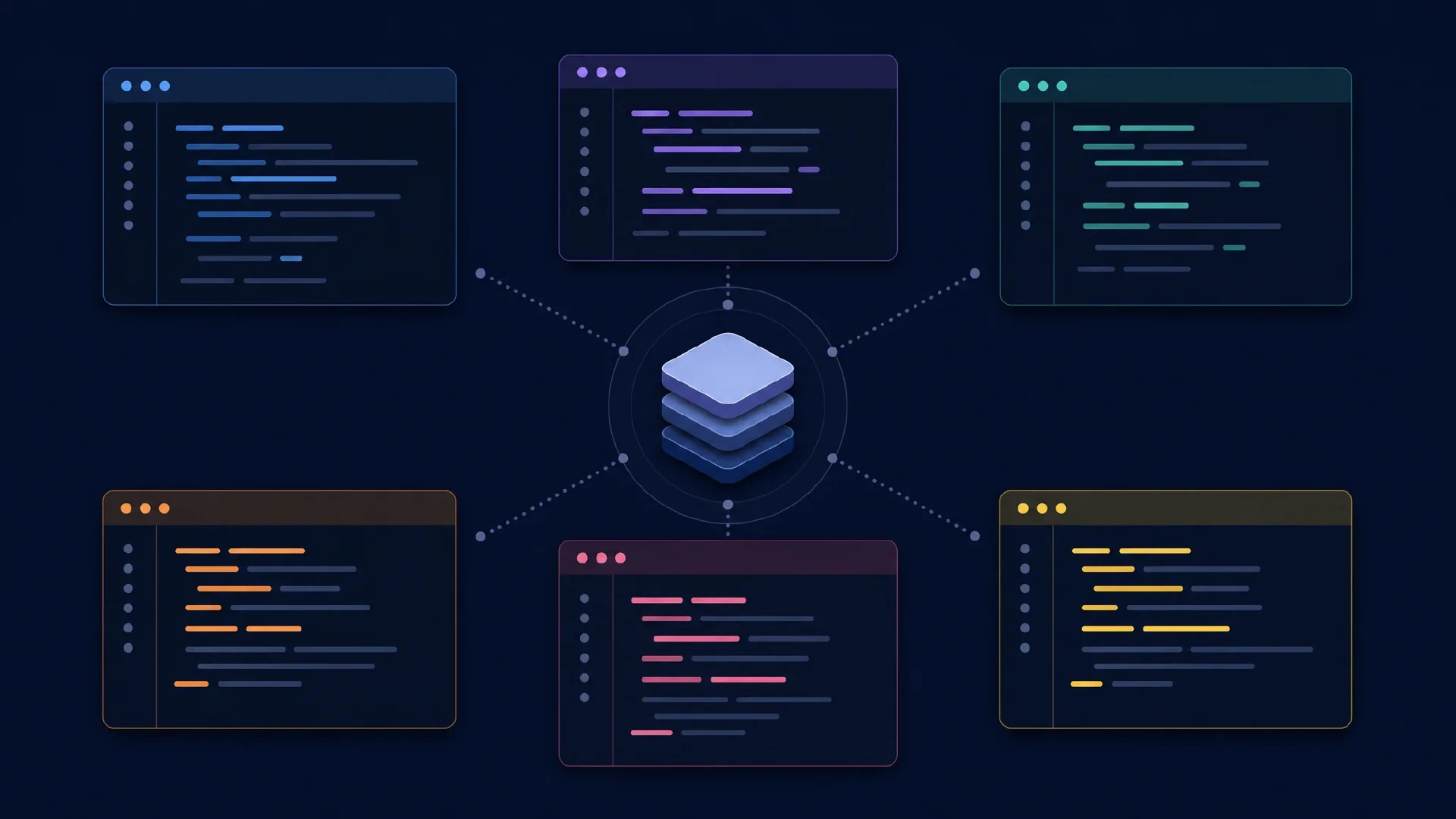
Table of Contents
ਟਰਮੀਨਲ ਕੋਡਿੰਗ ਏਜੰਟ ਜਾਣ-ਪਛਾਣ ਵਾਲਾ ਇੰਟਰਫੇਸ ਸਾਂਝਾ ਕਰਦੇ ਹਨ, ਪਰ ਸੰਦਰਭ ਇਕੱਠਾ ਕਰਨ, ਫਾਈਲਾਂ ਸੋਧਣ, ਮਨਜ਼ੂਰੀ ਮੰਗਣ ਅਤੇ ਸਕ੍ਰਿਪਟਾਂ ਵਿੱਚ ਸ਼ਾਮਲ ਹੋਣ ਦੇ ਢੰਗ ਵੱਖਰੇ ਹਨ। ਇਹ ਗਾਈਡ Claude Code CLI, Codex CLI, Gemini CLI, OpenCode CLI, GitHub Copilot CLI ਅਤੇ Aider ਦੀ ਤੁਲਨਾ ਕਰਦੀ ਹੈ। ਹਰ ਵਿਕਰੇਤਾ ਦੇ ਡੈਸਕਟਾਪ ਉਤਪਾਦਾਂ ਤੋਂ ਵੱਖਰੇ ਉਨ੍ਹਾਂ ਦੇ ਟਰਮੀਨਲ ਵਰਕਫਲੋ ਦਾ ਮੁਲਾਂਕਣ ਕੀਤਾ ਗਿਆ ਹੈ।
ਆਪਣੀਆਂ ਪਾਬੰਦੀਆਂ ਤੋਂ ਸ਼ੁਰੂ ਕਰੋ। ਪ੍ਰੋਵਾਈਡਰ ਪਹੁੰਚ, ਦੁਹਰਾਈ ਜਾ ਸਕਣ ਵਾਲੀ ਆਟੋਮੇਸ਼ਨ ਅਤੇ ਸਮੀਖਿਆ ਦੀਆਂ ਆਦਤਾਂ ਆਮ ਲੀਡਰਬੋਰਡ ਨਾਲੋਂ ਚੰਗੇ ਫਿਲਟਰ ਹਨ। ਹੇਠਾਂ ਦਿੱਤੀਆਂ ਸਿਫਾਰਸ਼ਾਂ 10 ਅਕਤੂਬਰ 2026 ਨੂੰ ਜਾਂਚੇ official documentation ਉੱਤੇ ਆਧਾਰਿਤ editorial judgments ਹਨ, ਮਾਪੇ ਹੋਏ performance rankings ਨਹੀਂ।
ਮੁੱਖ ਨਤੀਜੇ
- Claude Code, Codex ਅਤੇ Gemini CLI ਆਪਣੇ first-party model workflows ਚਾਹੁਣ ਵਾਲਿਆਂ ਲਈ ਟ੍ਰਾਇਲ ਦੇ ਯੋਗ ਹਨ।
- OpenCode ਅਤੇ Aider ਕਈ model providers ਨਾਲ ਪ੍ਰਯੋਗਾਂ ਲਈ ਢੁੱਕਵੇਂ ਹਨ, ਪਰ interaction ਅਤੇ editing ਦੇ ਢੰਗ ਵੱਖਰੇ ਹਨ।
- Copilot CLI ਉਸ ਵੇਲੇ ਵਿਚਾਰੋ ਜਦੋਂ GitHub ਪਹੁੰਚ ਅਤੇ organization policy ਤੁਹਾਡੇ workflow ਨੂੰ ਪਹਿਲਾਂ ਹੀ ਨਿਰਧਾਰਤ ਕਰਦੇ ਹੋਣ।
- Terminal interface ਦਾ ਅਰਥ local inference ਨਹੀਂ, ਬੇਅੰਤ model choice ਜਾਂ unattended execution ਵੀ ਨਹੀਂ।
ਪੂਰਵ-ਸ਼ਰਤਾਂ: Git, disposable checkout, ਕੰਮ ਕਰਦੇ tests ਅਤੇ approved model credentials। ਮੁਸ਼ਕਲ intermediate ਹੈ। ਤਿੰਨ ਛੋਟੇ tasks ਉੱਤੇ ਦੋ shortlisted tools ਦੀ ਤੁਲਨਾ ਲਈ ਇੱਕ ਦੁਪਹਿਰ ਰੱਖੋ।
ਛੋਟੀ ਸੂਚੀ
| Terminal tool | ਮੁਲਾਂਕਣ ਦਾ ਕਾਰਨ | ਹੱਲ ਕਰਨ ਵਾਲਾ ਫੈਸਲਾ |
|---|---|---|
| Claude Code CLI | Claude-ਕੇਂਦਰਿਤ repository work | Account route ਅਤੇ permission policy |
| Codex CLI | Interactive work ਅਤੇ scripted execution | Sandbox settings ਅਤੇ output handling |
| Gemini CLI | Gemini workflow ਅਤੇ structured headless output | Authentication, quotas ਅਤੇ tool policy |
| OpenCode CLI | Provider ਚੋਣ ਅਤੇ configurable agents | Model ਅਤੇ endpoint compatibility |
| Copilot CLI | Shell ਤੋਂ Copilot ਪਹੁੰਚ | Organization access ਅਤੇ tool approval |
| Aider | Git-ਕੇਂਦਰਿਤ pair programming | File selection ਅਤੇ editing model |
ਇਹ ਸੀਮਿਤ ਸੂਚੀ ਹੈ। ਇਹ ਛੇ ਸਥਾਪਿਤ terminal workflows ਦੀ ਤੁਲਨਾ ਕਰਦੀ ਹੈ, CLI ਦੇਣ ਵਾਲੇ ਹਰ product ਦੀ ਨਹੀਂ। Graphical editors ਅਤੇ extensions GUI coding-agent comparison ਵਿੱਚ ਹਨ।
Claude Code ਅਤੇ Codex
Claude Code CLI interactive sessions, resumable conversations, piped input ਅਤੇ scripts ਲਈ print mode ਦਿੰਦਾ ਹੈ। CLI reference ਇਹ entry points ਦਰਜ ਕਰਦਾ ਹੈ। Shell ਤੋਂ tasks ਚਲਾਉਂਦੇ ਹੋਏ Claude ਨੂੰ repository changes ਉੱਤੇ ਕੰਮ ਕਰਾਉਣਾ ਹੋਵੇ ਤਾਂ ਇਸਨੂੰ trial ਕਰੋ।
Codex CLI terminal interface ਵਿੱਚ repository inspection, edits, command execution ਅਤੇ review ਦਿੰਦਾ ਹੈ। OpenAI ਦਾ
CLI documentation
interactive controls ਸਮਝਾਉਂਦਾ ਹੈ।
Non-interactive mode
scripts ਅਤੇ continuous integration ਲਈ codex exec ਦਿੰਦਾ ਹੈ।
ਪੂਰੇ ਹੋਏ ਕੰਮ ਨਾਲ ਚੋਣ ਕਰੋ। ਹਰ tool ਨੂੰ ਇੱਕ ਅਣਜਾਣ bug ਅਤੇ existing failing test ਦਿਓ। Explanation, patch scope, test selection ਅਤੇ rejected approach ਤੋਂ ਬਾਅਦ recovery ਦੀ ਤੁਲਨਾ ਕਰੋ। ਭਰੋਸੇਯੋਗ final message correctness ਦਾ ਸਬੂਤ ਨਹੀਂ।
Gemini CLI ਅਤੇ Copilot
Gemini CLI ਦਾ official guide project context, extensions, tool execution ਅਤੇ automation ਦਰਜ ਕਰਦਾ ਹੈ। Headless reference structured output ਅਤੇ exit codes ਦਿੰਦਾ ਹੈ। ਇਸ ਕਰਕੇ output handling trial ਦਾ ਠੋਸ ਹਿੱਸਾ ਹੈ, terminal ਦੀ ਉਪਲਬਧਤਾ ਉੱਤੇ ਅਨੁਮਾਨ ਨਹੀਂ।
GitHub Copilot CLI ਮੌਜੂਦਾ standalone copilot command ਰਾਹੀਂ interactive work ਅਤੇ programmatic prompts support ਕਰਦਾ ਹੈ।
Product documentation
planning ਅਤੇ tool permissions ਦੱਸਦਾ ਹੈ। ਆਪਣੀ team ਦੇ account ਅਤੇ policies ਨਾਲ ਮੁਲਾਂਕਣ ਕਰੋ। GitHub branding ਹਰ repository ਜਾਂ service ਦੀ ਪਹੁੰਚ ਨਹੀਂ ਦਿੰਦੀ।
| Automation entry | Documented command family |
|---|---|
| Claude Code | claude -p |
| Codex | codex exec |
| Gemini CLI | gemini -p |
| Copilot CLI | copilot -p |
Headless mode ਲਈ execution policy ਚਾਹੀਦੀ ਹੈ। Agent ਨੂੰ pipeline ਵਿੱਚ ਰੱਖਣ ਤੋਂ ਪਹਿਲਾਂ allowed actions, time limits, error handling ਅਤੇ artifact collection ਨਿਰਧਾਰਤ ਕਰੋ। Process ਦਾ ਸਫਲ exit generated code ਦੇ acceptance criteria ਪੂਰੇ ਹੋਣ ਦਾ ਸਬੂਤ ਨਹੀਂ।
OpenCode ਅਤੇ Aider
OpenCode CLI interactive terminal UI ਨੂੰ command-line operations ਨਾਲ ਜੋੜਦਾ ਹੈ।
CLI reference
opencode run ਦੱਸਦਾ ਹੈ ਅਤੇ
provider guide
model connections ਸਮਝਾਉਂਦਾ ਹੈ। Compatibility ਅਤੇ billing ਸੰਭਾਲਣ ਲਈ provider flexibility ਲੋੜੀਂਦੀ ਹੋਵੇ ਤਾਂ ਇਸਨੂੰ trial ਕਰੋ।
Aider Git repository ਵਿੱਚ pair programming ਉੱਤੇ ਕੇਂਦਰਿਤ ਹੈ। Documentation file selection, repository maps, model connections ਅਤੇ lint/test integration cover ਕਰਦਾ ਹੈ। ਸੀਮਿਤ editing conversation ਚਲਾਉਣ ਅਤੇ changes ਨੂੰ explicit Git workflow ਦੇ ਨੇੜੇ ਰੱਖਣੀ ਤਰਜੀਹ ਹੋਵੇ ਤਾਂ ਇਸਨੂੰ trial ਕਰੋ।
ਵੱਖਰੇ interaction styles ਲਈ ਵੱਖਰੀਆਂ ਉਮੀਦਾਂ ਚਾਹੀਦੀਆਂ ਹਨ। Narrow editing assistant ਅਤੇ ਪੂਰੀ repository explore ਕਰਨ ਵਾਲਾ agent context ਇੱਕੋ ਤਰੀਕੇ ਨਾਲ ਨਹੀਂ ਵਰਤਦੇ। ਦਿੱਤੀਆਂ files, allowed exploration ਅਤੇ ਮਨੁੱਖੀ steering ਦਰਜ ਕਰੋ। Context ਖੁਦ ਚੁਣਨ ਤੋਂ ਬਾਅਦ tool ਨੂੰ productivity win ਨਾ ਦਿਓ।
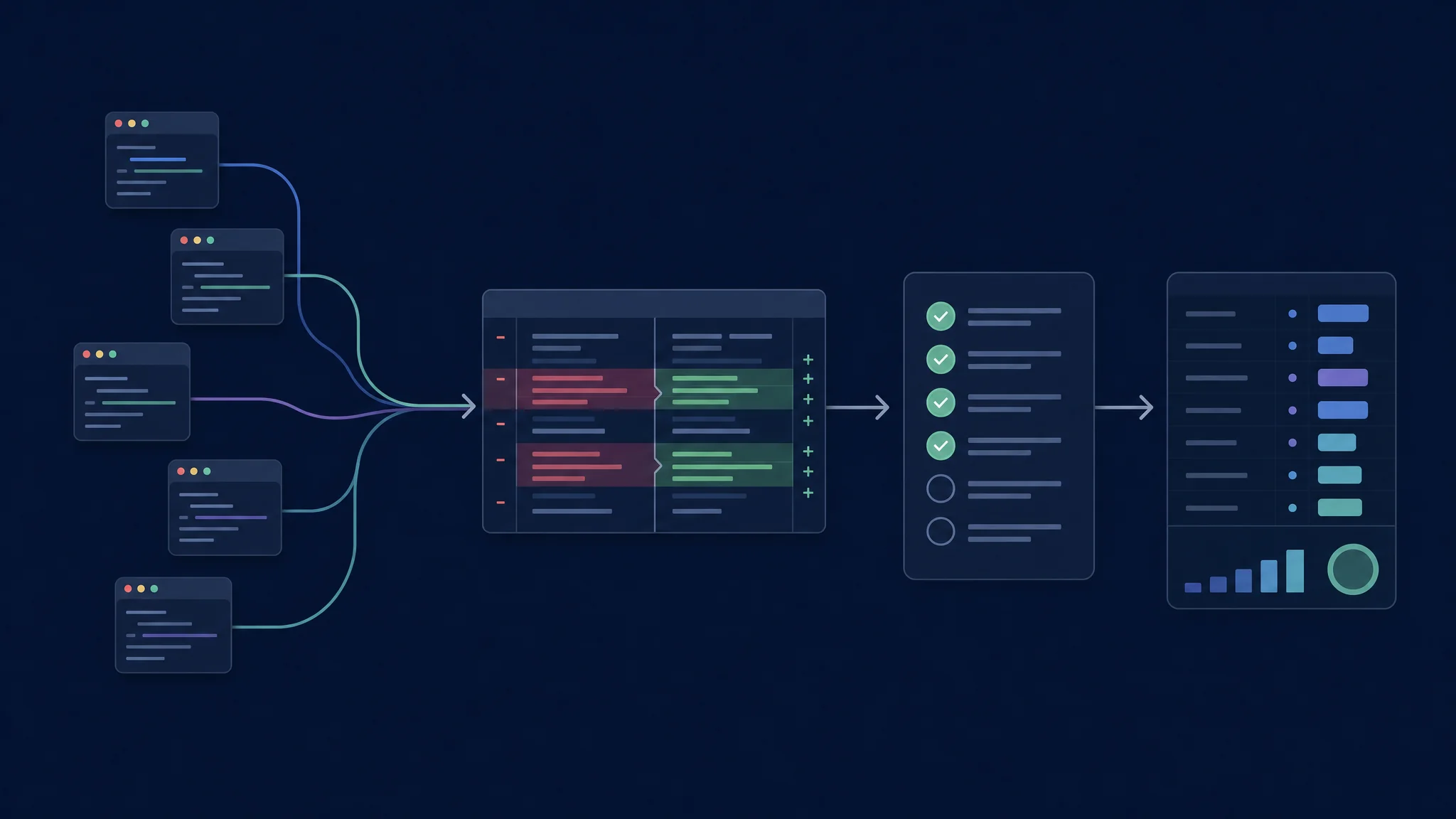
ਹਰ terminal workflow ਵਿੱਚ ਇੱਕੋ acceptance criteria ਵਰਤੋ
Models, access ਅਤੇ cost
Agent model ਦੇ ਆਲੇ ਦੁਆਲੇ ਦਾ software ਹੈ। ਇਹ requests ਬਣਾਉਂਦਾ, tool results ਸੰਭਾਲਦਾ, conversation state manage ਕਰਦਾ ਅਤੇ execution policy ਲਾਗੂ ਕਰਦਾ ਹੈ। Model ਅਤੇ serving endpoint reasoning, tool-call reliability, latency ਅਤੇ available context ਨੂੰ ਪ੍ਰਭਾਵਿਤ ਕਰਦੇ ਹਨ।
Provider flexibility ਦੀ operational cost ਹੁੰਦੀ ਹੈ। Custom endpoint model identifiers, context settings, authentication ਅਤੇ tool support ਬਾਰੇ ਹੋਰ ਫੈਸਲੇ ਜੋੜਦਾ ਹੈ। Integrated service ਕੁਝ setup choices ਘਟਾਉਂਦੀ ਹੈ, ਪਰ access ਨੂੰ account ਅਤੇ policy ਨਾਲ ਬੰਨ੍ਹਦੀ ਹੈ। ਕੋਈ ਵੀ arrangement universal quality ranking ਨਹੀਂ ਦਿੰਦੀ।
| Cost category | Trial ਵਿੱਚ ਸ਼ਾਮਲ ਕਰੋ |
|---|---|
| Account allowance | Included access, rate limits ਅਤੇ exhaustion behavior |
| Metered inference | Prompt, output, cache ਅਤੇ retry usage |
| Local serving | Hardware, electricity ਅਤੇ runtime maintenance |
| Human effort | Setup, corrections ਅਤੇ final review |
| Failed work | Abandoned runs ਅਤੇ reverted patches |
Accepted change ਦੀ cost ਤੁਲਨਾ ਕਰੋ। Subscription fees ਨੂੰ incremental API charges ਅਤੇ developer time ਤੋਂ ਵੱਖ ਰੱਖੋ। Paid inference ਵਾਲਾ free client allowance ਵਾਲੀ subscription ਤੋਂ ਵੱਖ ਹੈ। Provider ਬਦਲਣ ਤੋਂ ਪਹਿਲਾਂ account terms ਫਿਰ ਜਾਂਚੋ।
Comparison inputs freeze ਕਰੋ। ਹਰ CLI version, model identifier, provider, starting revision, permission mode ਅਤੇ tool configuration ਦਰਜ ਕਰੋ। ਕਿਸੇ ਇੱਕ ਦੇ ਬਦਲਣ ਤੋਂ ਬਾਅਦ task ਫਿਰ ਚਲਾਓ। ਨਹੀਂ ਤਾਂ ਬਿਹਤਰ result ਬਦਲੇ system ਨੂੰ ਦੱਸਦਾ ਹੈ, ਬਿਹਤਰ terminal interface ਨੂੰ ਨਹੀਂ।
Permissions ਅਤੇ repository context
Approval ਅਤੇ isolation ਵੱਖਰੇ controls ਹਨ। Approval prompt ਪੁੱਛਦਾ ਹੈ ਕਿ action ਅੱਗੇ ਵਧੇ ਜਾਂ ਨਹੀਂ। Sandbox executed action ਲਈ available resources ਸੀਮਿਤ ਕਰਦਾ ਹੈ। File access, network access ਅਤੇ tools ਵੱਲੋਂ ਸ਼ੁਰੂ ਕੀਤੇ commands ਸਮੇਤ ਦੋਵੇਂ ਜਾਂਚੋ।
Codex permission documentation filesystem ਅਤੇ network rules ਨੂੰ ਵੱਖ ਕਰਦੀ ਹੈ, destination restrictions ਦੀਆਂ conditions ਸਮੇਤ। Installed setup ਦੇਖਣ ਲਈ permission reference ਵਰਤੋ। ਹਰ shortlisted tool ਵਿੱਚ harmless allowed ਅਤੇ harmless prohibited action test ਕਰਕੇ ਹੀ policy ਉੱਤੇ ਭਰੋਸਾ ਕਰੋ।
Project instructions ਦੀ verification ਲੋੜੀਂਦੀ ਹੈ। Supported instruction mechanism ਰਾਹੀਂ ਹਰ tool ਨੂੰ ਇੱਕੋ build command, acceptance criteria ਅਤੇ exclusions ਦਿਓ। Edit ਤੋਂ ਪਹਿਲਾਂ active constraints ਦੁਹਰਾਉਣ ਲਈ ਕਹੋ। Missing instruction file setup defect ਹੈ, model benchmark ਨਹੀਂ।
Task: Fix the supplied reproduction without changing the public API.
Scope: Preserve unrelated work and avoid new dependencies.
Evidence: Run the existing regression test and relevant neighboring tests.
Report: Explain the cause, changed files, checks, and remaining uncertainty.
ਇਹ trial prompt ਜਾਣ-ਬੁੱਝ ਕੇ ਸੀਮਿਤ ਹੈ। Known reproduction ਅਤੇ independently written checks ਸ਼ਾਮਲ ਕਰੋ। ਵੱਖਰੇ checkouts ਵਿੱਚ ਉਹੀ starting commit ਵਰਤੋ। Tool version, model, provider, permission policy, elapsed time ਅਤੇ interventions ਦਰਜ ਕਰੋ।
ਪਹਿਲੀ ਜੋੜੀ ਚੁਣੋ
| ਤੁਹਾਡੀ ਤਰਜੀਹ | Trial ਸ਼ੁਰੂ ਕਰੋ |
|---|---|
| Claude ਬਨਾਮ OpenAI workflow | Claude Code CLI ਅਤੇ Codex CLI |
| Google ਬਨਾਮ OpenAI workflow | Gemini CLI ਅਤੇ Codex CLI |
| Provider flexibility | OpenCode CLI ਅਤੇ Aider |
| Existing GitHub deployment | Copilot CLI ਅਤੇ ਇੱਕ approved alternative |
| Claude ਬਨਾਮ configurable providers | Claude Code CLI ਅਤੇ OpenCode CLI |
ਹਰ tool ਲਈ ਤਿੰਨ tasks ਚਲਾਓ: reproduced bug, independent tests ਵਾਲਾ ਛੋਟਾ feature ਅਤੇ constrained refactor। Failed attempts ਰੱਖੋ। ਜੇ ਸੰਭਵ ਹੋਵੇ ਤਾਂ agent ਦਾ ਨਾਮ ਵੇਖੇ ਬਿਨਾਂ patches review ਕਰੋ। ਤੁਹਾਡੇ repository ਵਿੱਚ ਘੱਟ total effort ਨਾਲ acceptable changes ਦੇਣ ਵਾਲਾ workflow ਜੇਤੂ ਹੈ।
Troubleshooting ਅਤੇ ਅਗਲੇ ਕਦਮ
Unexpected results ਅਕਸਰ configuration ਤੋਂ ਸ਼ੁਰੂ ਹੁੰਦੇ ਹਨ। Missing tools, ਗਲਤ working directories, ਵੱਖਰੇ model versions ਜਾਂ exhausted allowances comparisons ਵਿਗਾੜਦੇ ਹਨ। Prompts ਵਾਰ-ਵਾਰ rewrite ਕਰਨ ਤੋਂ ਪਹਿਲਾਂ ਇਹ ਜਾਂਚੋ।
Focused guide ਨਾਲ ਜਾਰੀ ਰੱਖੋ: OpenCode ਬਨਾਮ Claude Code , Codex CLI ਬਨਾਮ desktop , Claude Code CLI ਬਨਾਮ desktop , OpenCode CLI ਬਨਾਮ desktop , ਜਾਂ Copilot CLI ਬਨਾਮ VS Code । ਇਹ interface comparisons ਹਰ product family ਦੇ ਅੰਦਰ ਰਹਿੰਦੀਆਂ ਹਨ।
Related Posts